Websites & Digital Systems

Your website should build trust before you say a word.

We design and build websites, dashboards and practical business systems for organisations in Tonga and the Pacific — fast on island connections, easy for your team to run, and built to earn confidence.

Chapter 1: Discover

01 · Discover

It starts with the problem, not the website.

Every project on this page began with a problem like one of these. We listen for it first — the website or system comes second.

  • Nowhere trustworthy to find you

    A strong community in person, but nothing online that shows it — so people cannot check you out before they get in touch.

    Solved in Nualei Gym

  • The same questions, all day

    Times, prices, directions and what is available today — answered one phone call at a time.

    Solved in Nualei Gym and Maketi Map

  • Notebooks and spreadsheets

    Stock, sales and records scattered across paper and files, so problems show up long after they happen.

    Solved in Retail dashboard demo

  • A system your staff can run

    The people who know the business need to update prices, news and photos themselves — without calling a developer.

    Solved in This website and Nualei Gym

What discovery looks like

What we ask before anything is designed.

A conversation about who the site is for, what it must do, and what you can spend. Then we gather and shape the words, photos and prices before any design starts — so the build begins with everything it needs.

Discovery notes
  1. Who is the site for?
  2. What must it do?
  3. What can you spend?
  4. What words, photos and prices do you already have?

Who you’ll talk to

Two consultants in Nuku’alofa — not a call centre.

Tevita Vahai, founder of By Faith Consultancy

Tevita Vahai, MCBI

Chartered Banker · Founder & Lead Consultant

Over 15 years in commercial and central banking across Tonga and the Pacific, now focused on financial literacy, business advisory and capacity building.

Latu Vahai, consultant at By Faith Consultancy

Latu Vahai

Consultant · Systems & Training

Over 19 years of leadership and operational planning, applied to training, practical systems, and the websites and digital tools we build.

We know Tonga

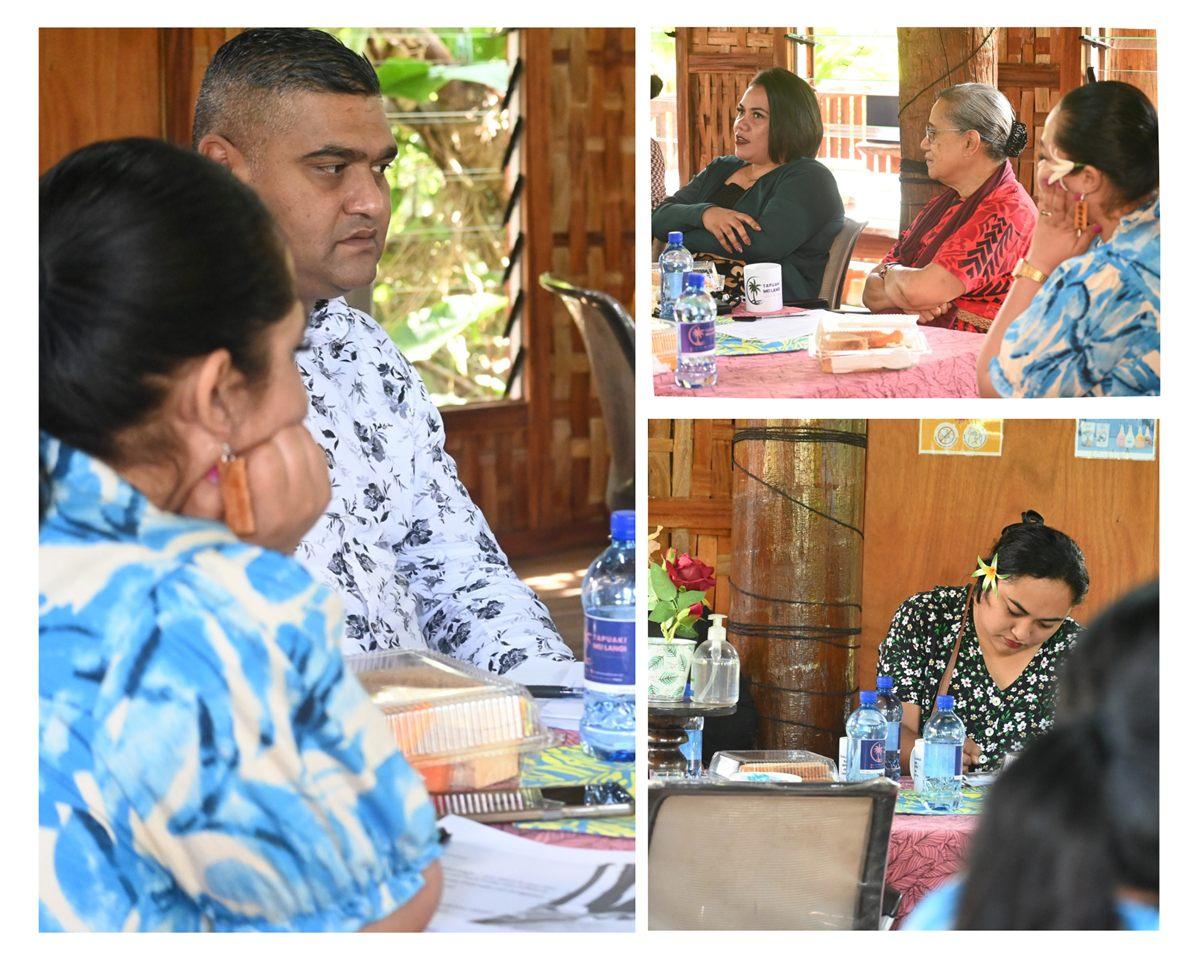
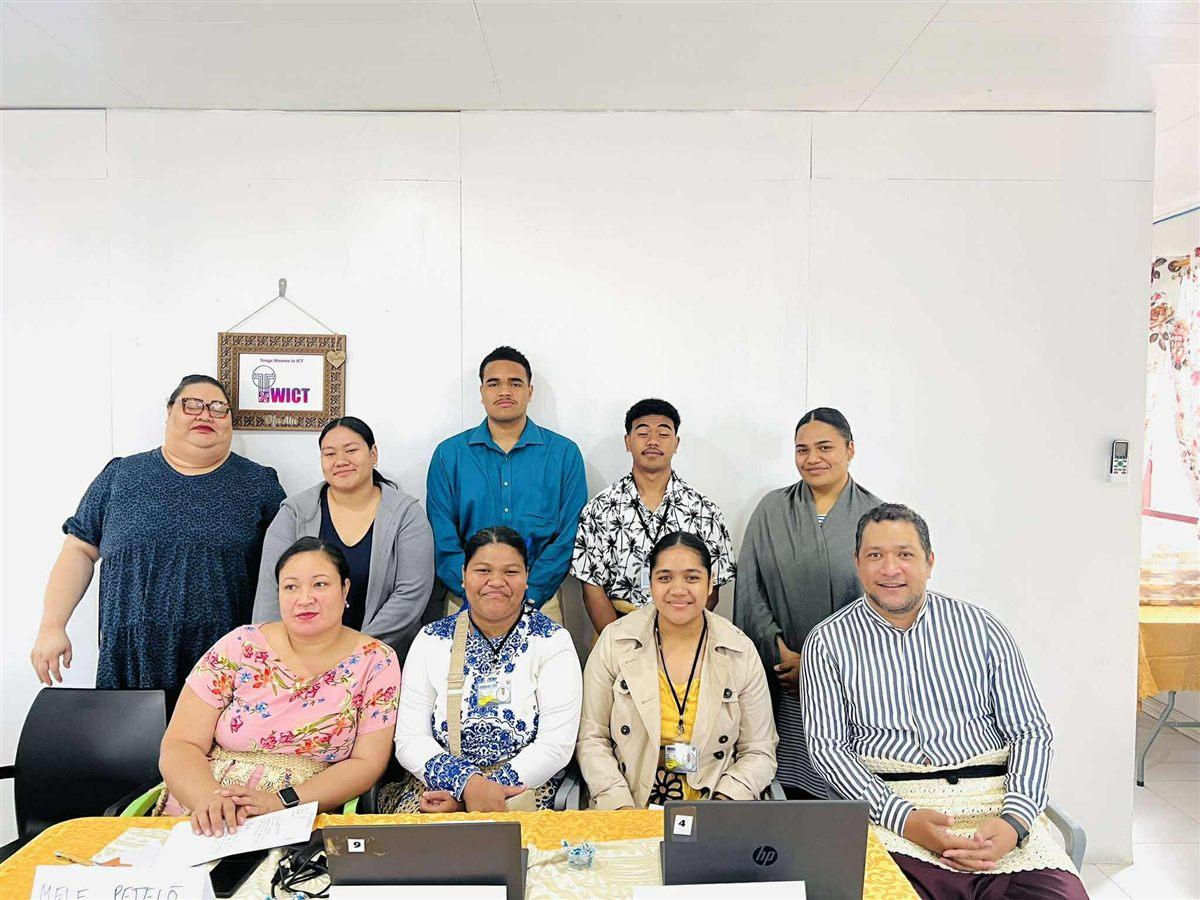
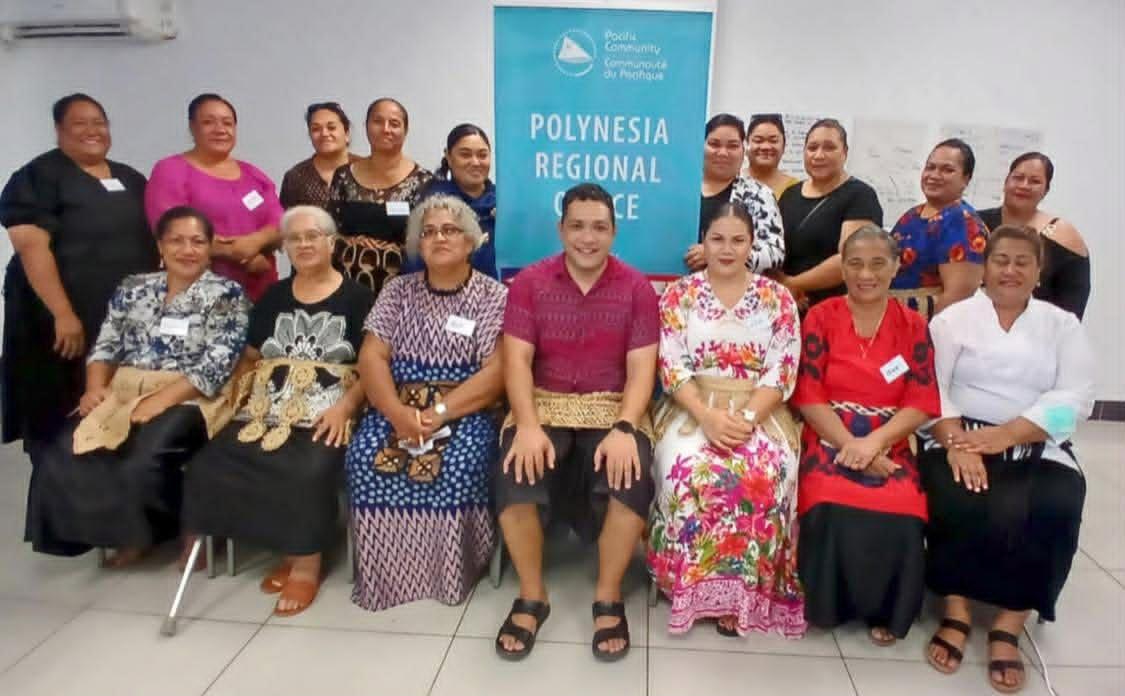
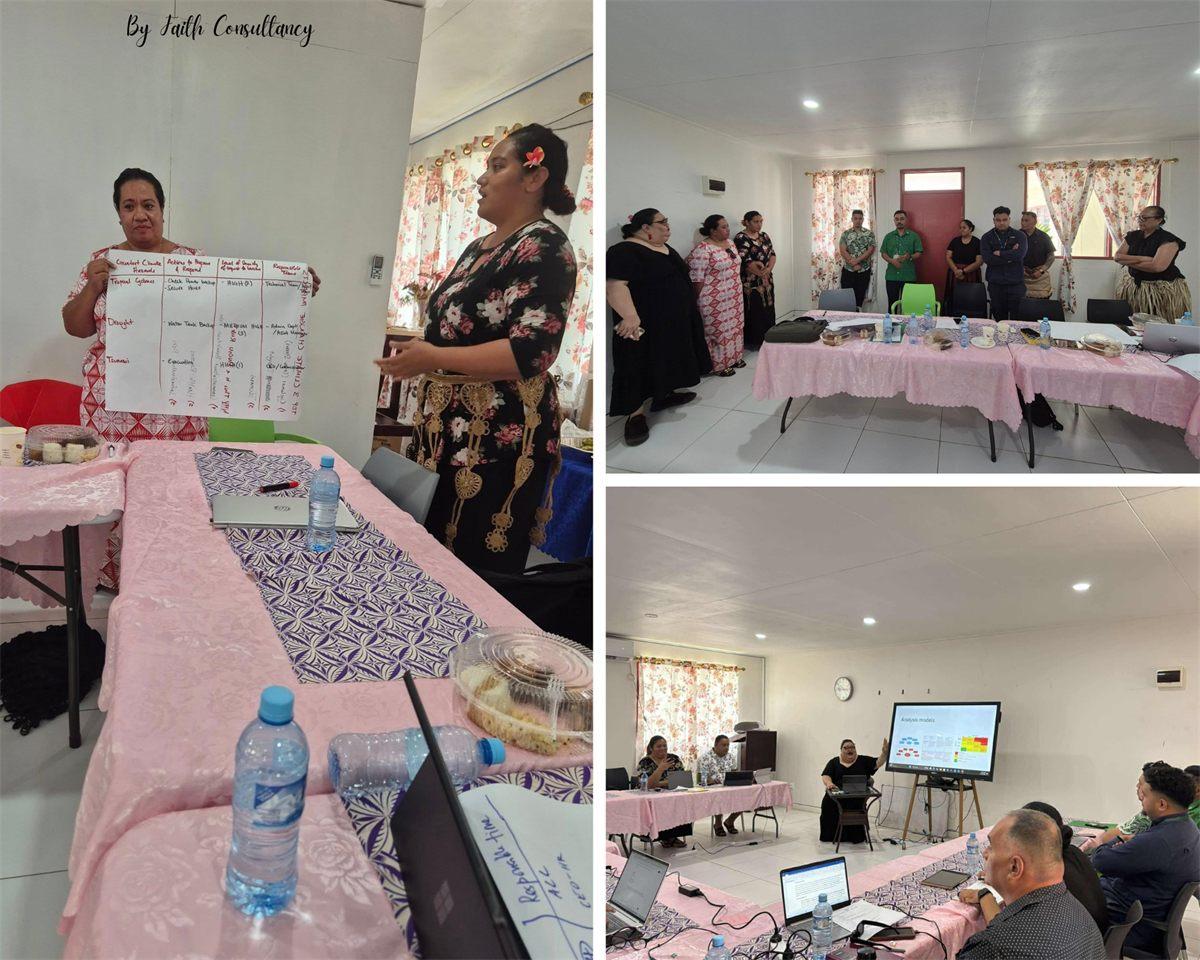
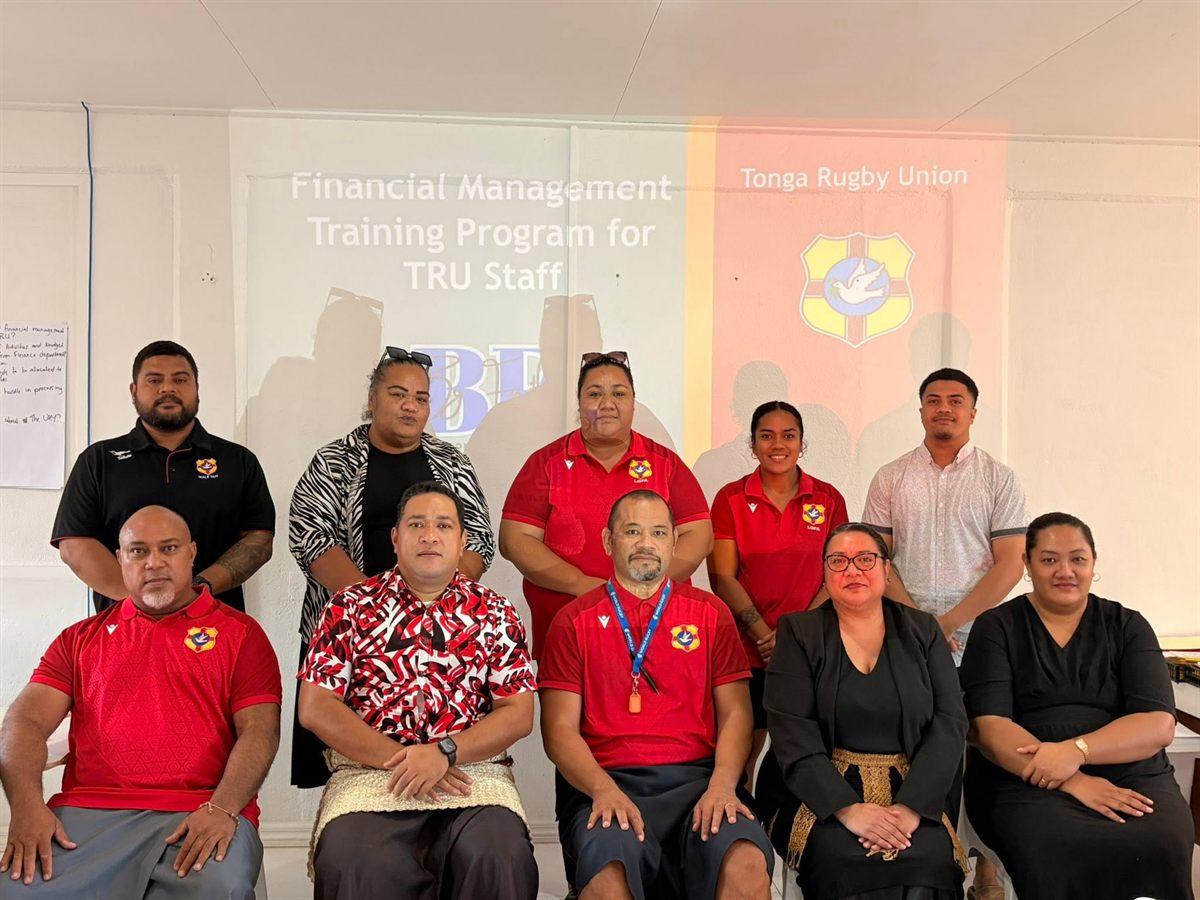
Before the websites, there was the training and advisory work — with businesses, ministries, sports bodies and community groups across the islands. It is where we learned what your customers actually ask.
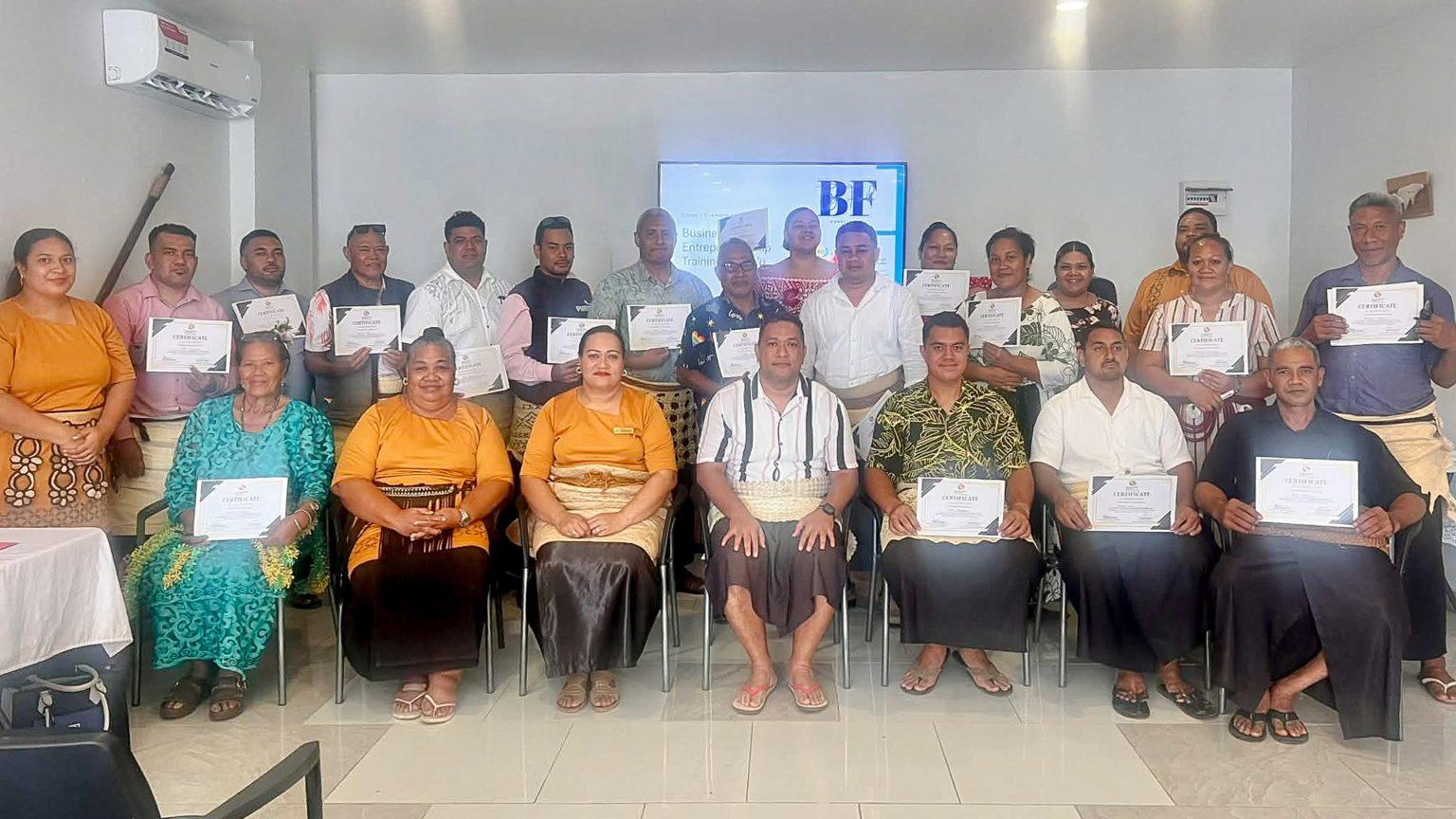
  • Business training in the outer islands, Vava'u, Ha'apai & 'Eua
    Business training in the outer islandsVava'u, Ha'apai & 'Eua
  • Financial management training, Tonga Rugby Union
    Financial management trainingTonga Rugby Union
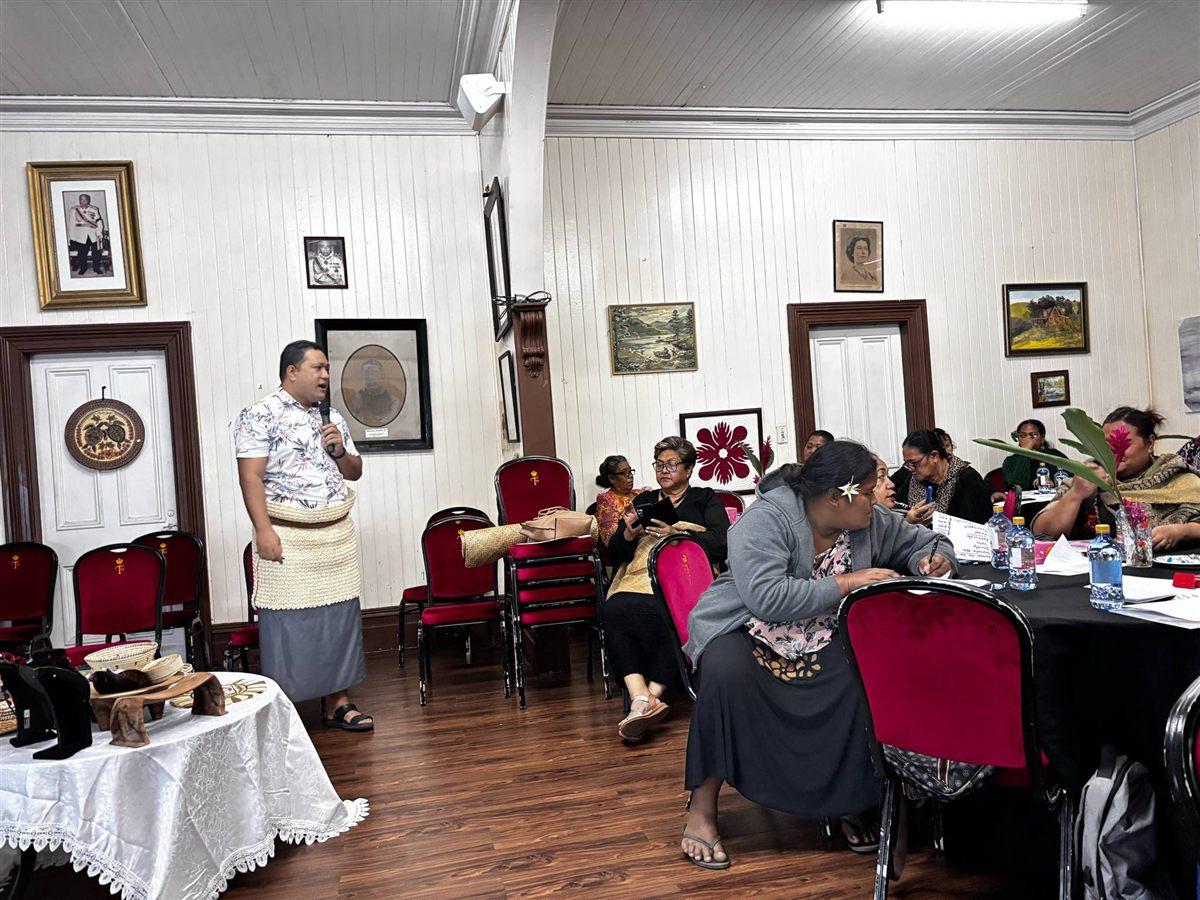
  • Women's business training workshop, Nuku'alofa
    Women's business training workshopNuku'alofa
  • Capacity building training, TWICT
    Capacity building trainingTWICT
  • Budgeting training for women in fisheries, Tongatapu
    Budgeting training for women in fisheriesTongatapu
  • Business continuity planning, Tonga
    Business continuity planningTonga
  • Financial literacy training, Commonwealth of Learning
    Financial literacy trainingCommonwealth of Learning
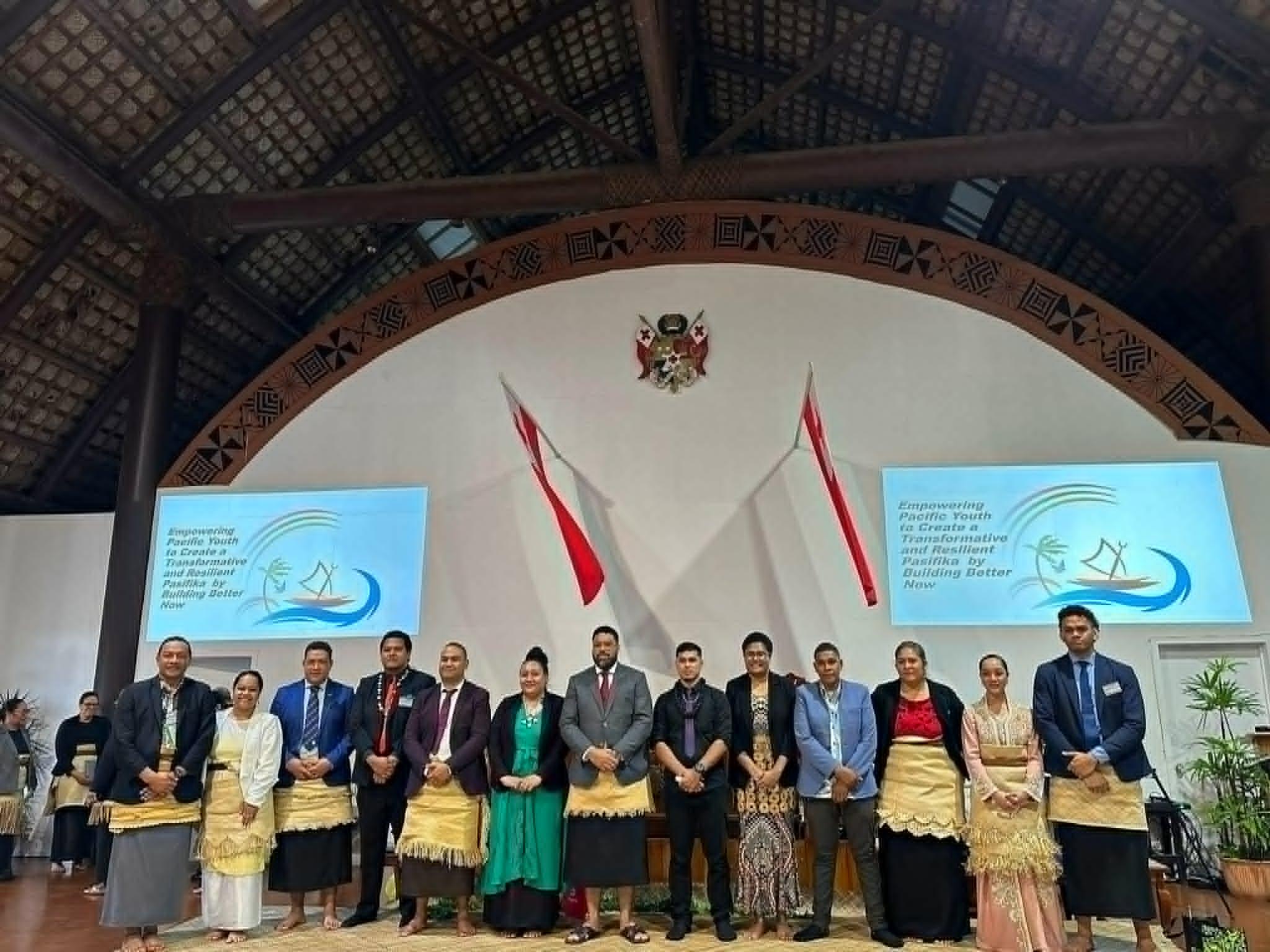
  • Youth Parliament facilitation, Tonga
    Youth Parliament facilitationTonga

Chapter 2: Build

02 · Build

Four builds you can open right now.

Three are live websites. The fourth is a working demo with sample data, built so you can try a dashboard yourself. Every screen below is a real screenshot.

  1. 01 / 04 · Website + admin

    Nualei Gym

    Fisi'isaafa Nualei Gym, Nuku'alofa

    The challenge
    A gym with a strong community and no online presence — class times, prices and directions were all answered one phone call at a time.
    What we built
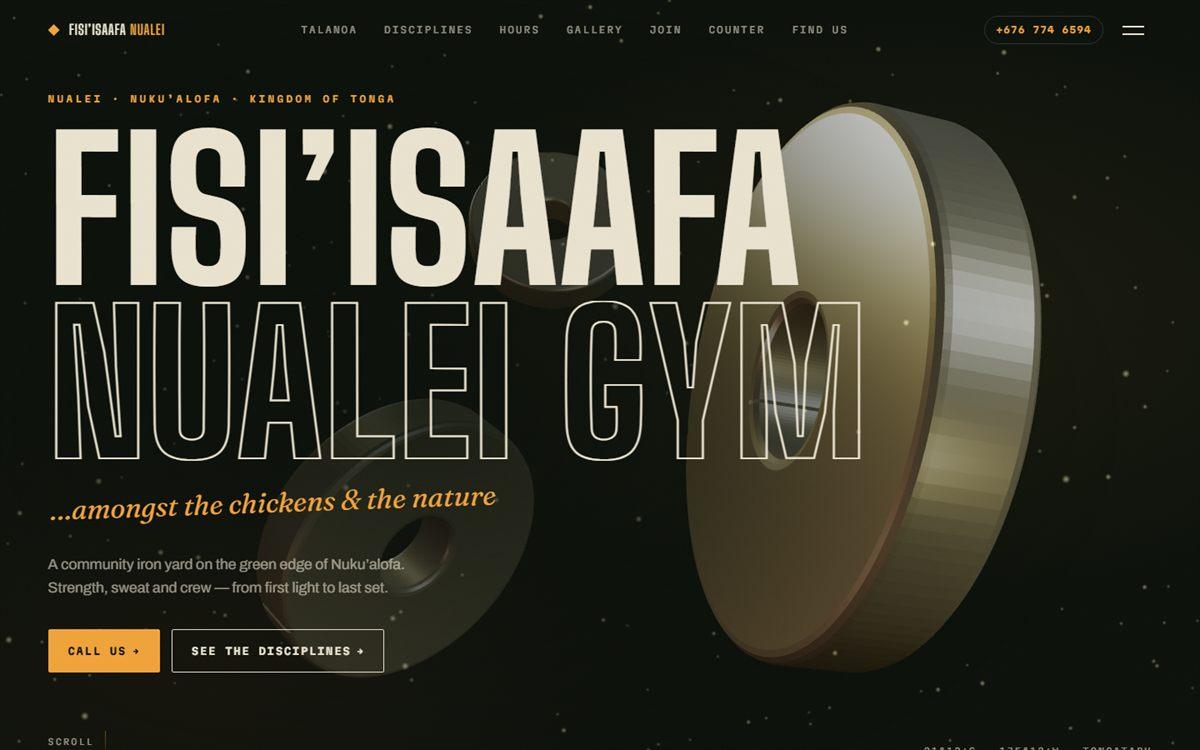
    A fast one-page website with the class schedule, prices, a photo gallery and a WhatsApp button, plus a simple admin so staff change class times, prices and photos themselves.
    The result
    Visitors get what they need in one scroll, and the gym keeps its own site up to date without calling a developer.
    The Nualei Gym website home page on a laptop
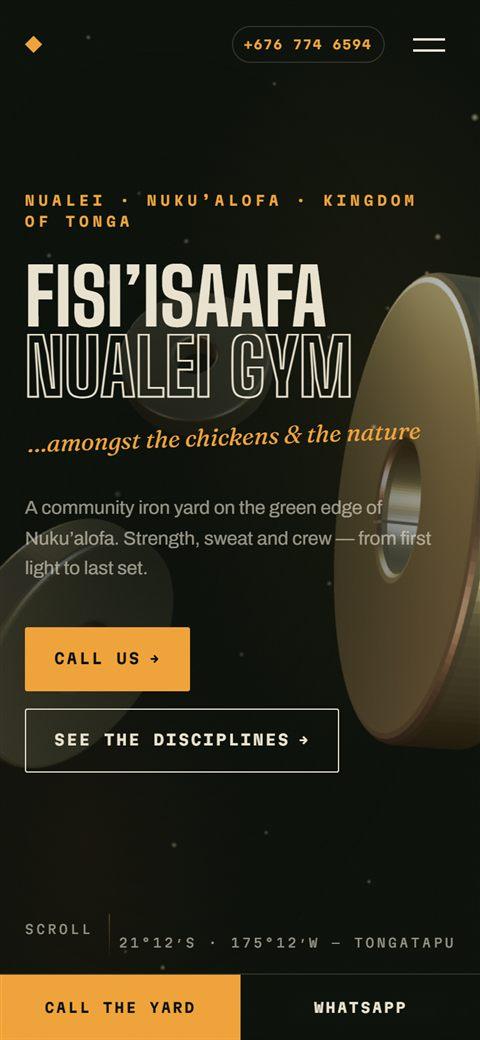
    The Nualei Gym website on a phone
    Real screenshots
  2. 02 / 04 · Web app

    Maketi Map

    A By Faith Consultancy product for Tongatapu
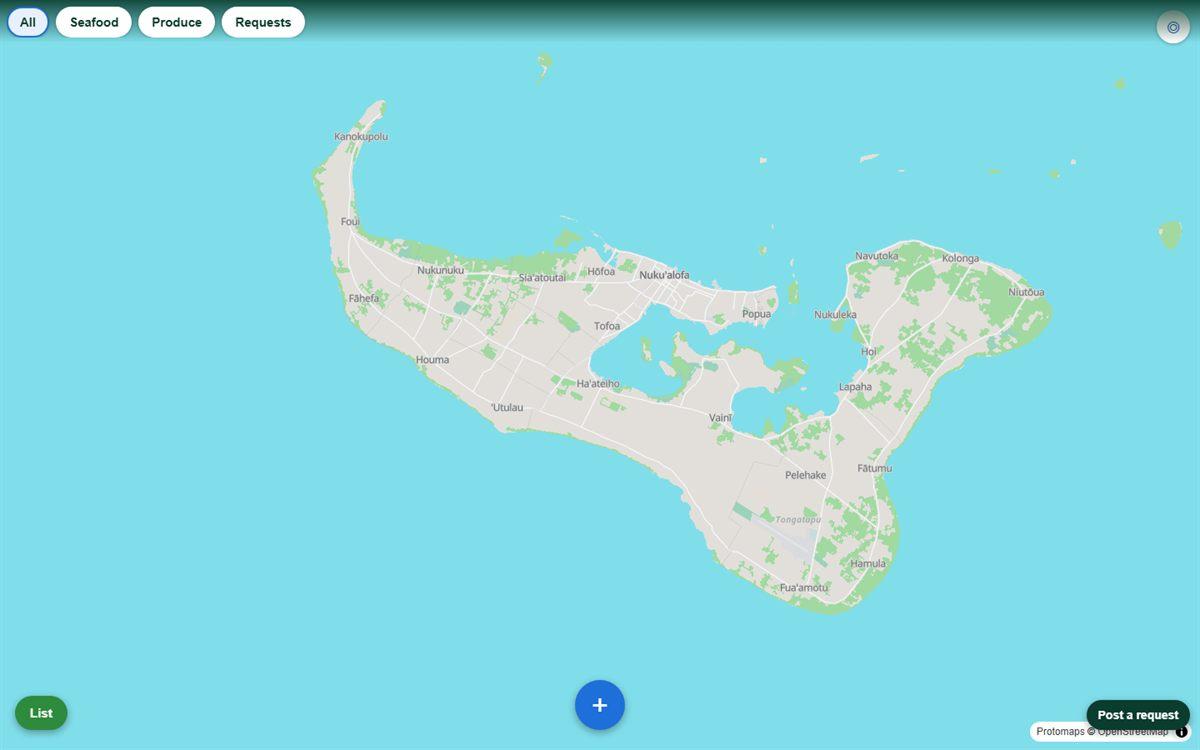
    The challenge
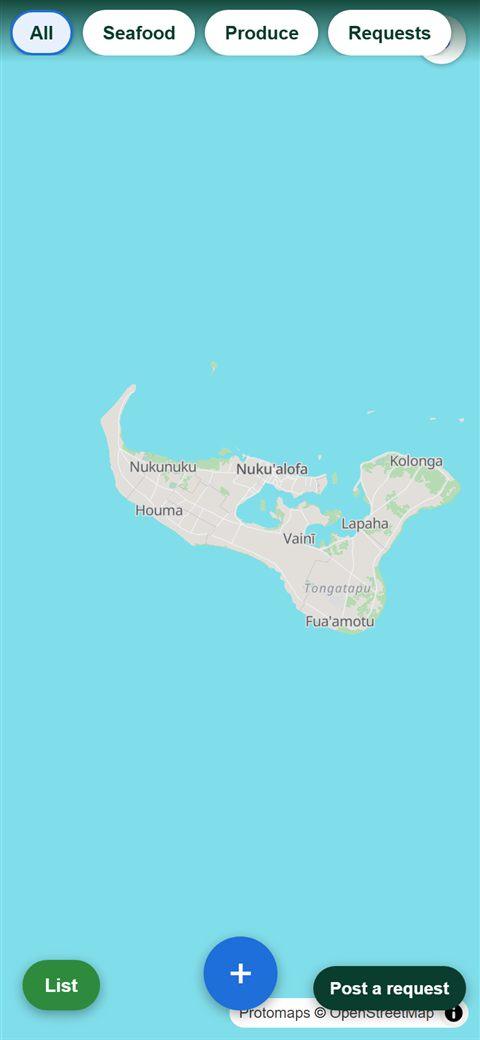
    Buyers on Tongatapu could not tell where fresh produce and seafood were being sold today, and sellers had no easy way to say so.
    What we built
    A live map that opens on the whole island: sellers post what they have and where in seconds from any phone, buyers see it on the map with distances — no app store, no account.
    The result
    Live listings from anywhere on the island, with moderation tools for the team behind it.
    Maketi Map showing the whole of Tongatapu on a laptop
    Maketi Map on a phone
    Real screenshots
  3. 03 / 04 · Website + admin

    This website

    By Faith Consultancy

    The challenge
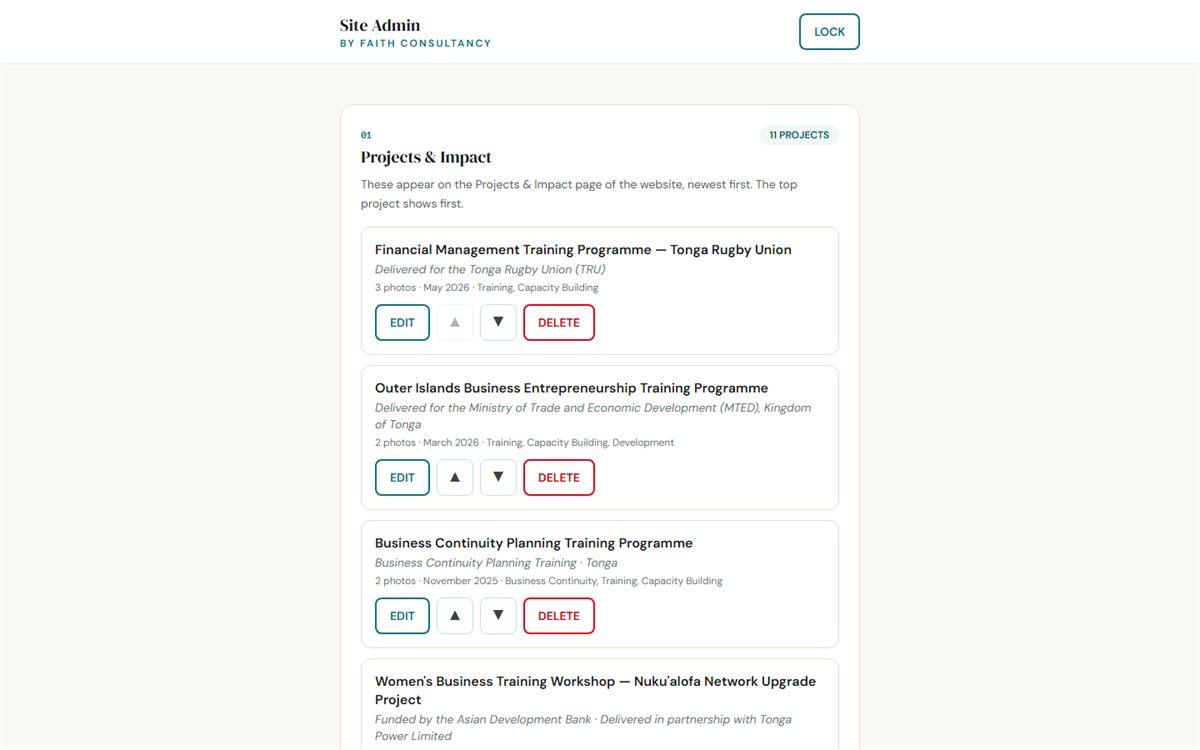
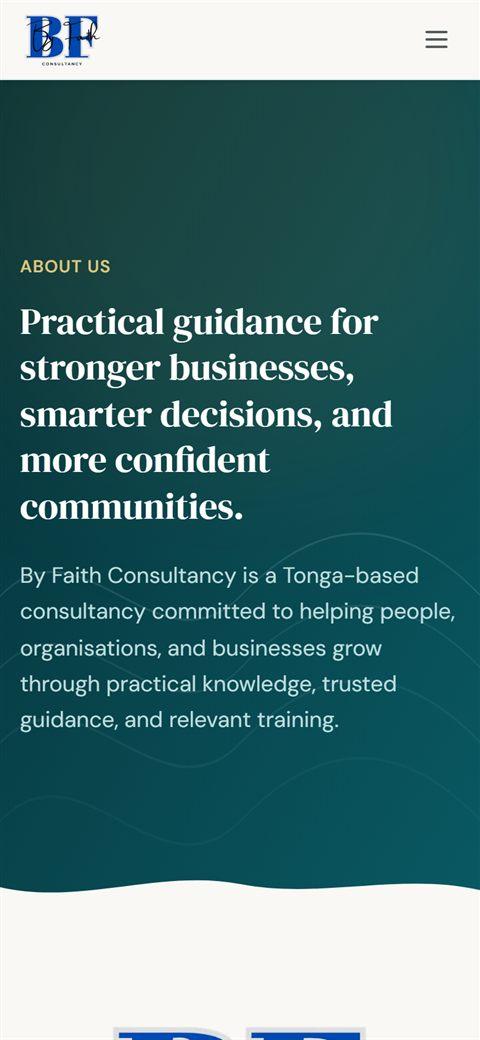
    A consultancy site that had to be quick on Pacific connections, look the part, and be editable by a non-technical owner.
    What we built
    The site you are reading: a modern build with a built-in admin where projects, news and downloads are managed in plain forms — every save goes live in about two minutes with a full change history behind it.
    The result
    Maintained by By Faith staff without a developer, and used as our own case study for what we deliver.
    This website's admin, listing Projects & Impact entries, on a laptop
    This website's About page on a phone
    Real screenshots
  4. 04 / 04 · Dashboard demoDemo · sample data

    Retail stock & sales dashboard

    Example built for this page

    The challenge
    Small shops keep stock and sales in notebooks and spreadsheets, and find out about problems — an empty shelf, a slow week — long after they happen.
    What we built
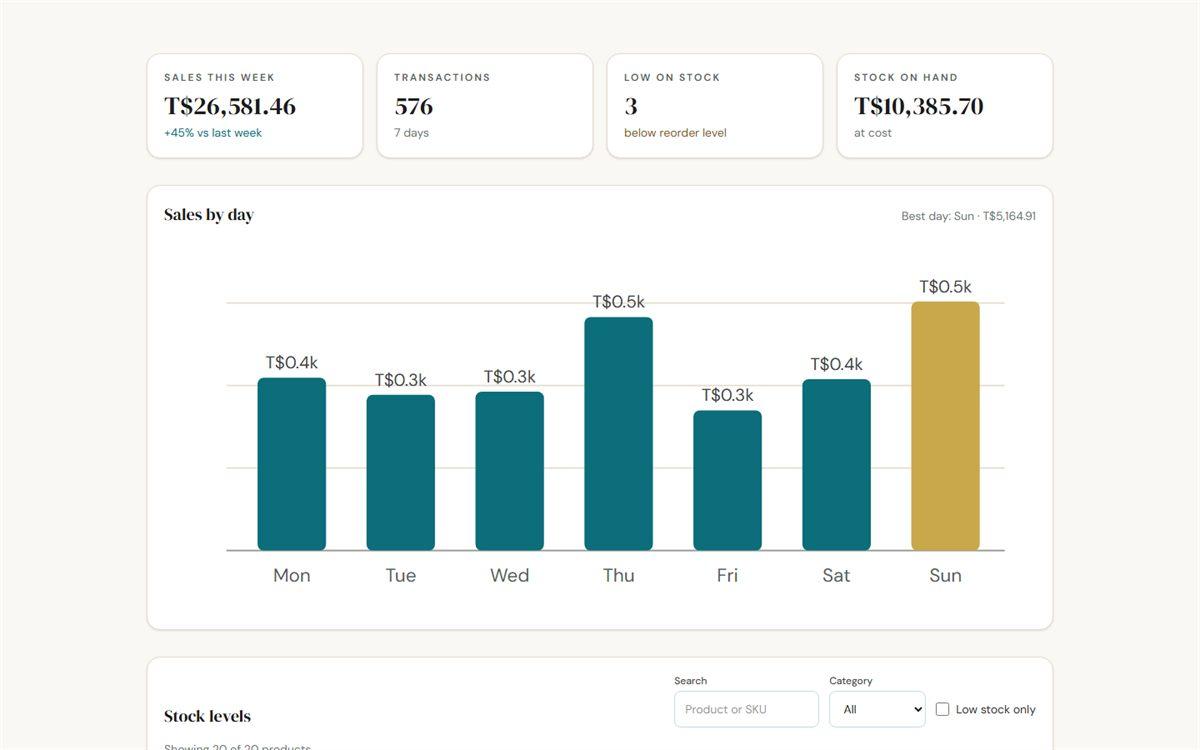
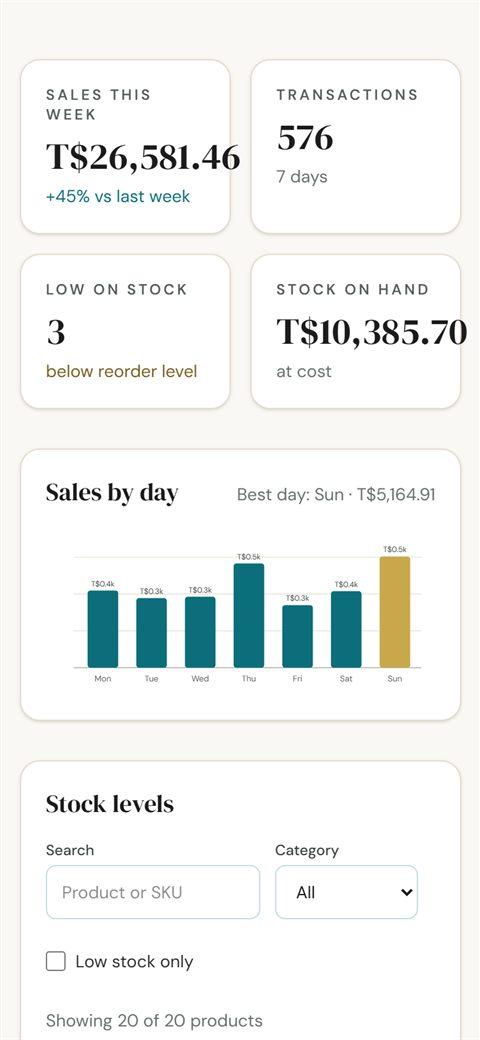
    An example dashboard with the week's sales, transactions, stock on hand and reorder alerts, with search and filters — the kind of system we build on top of a shop's real records.
    The result
    Try it: every number is demo data, but the design is what a real one looks like on a phone or a laptop.
    The demo retail dashboard with sales tiles and a weekly chart, on a laptop
    The demo retail dashboard on a phone
    Real screenshots

Chapter 3: Grow

03 · Grow

From first conversation to a site your team runs.

Six steps, no surprises. At each one we tell you exactly what we need from you.

  • 2 min from pressing Save in our admin to the change being live

  • 2–3 weeks for a typical starter website, from the first conversation

  • 6 steps from discovery to support, each with a clear ask of you

  • 100 % yours — the design, the code, the content and the domain

  1. Step 1: Discover

    A conversation about who the site is for, what it must do, and what you can spend.

    What we need from you: Thirty minutes and your honest priorities.

  2. Step 2: Content

    We gather and shape the words, photos and prices before any design starts.

    What we need from you: Whatever text and photos you already have — we help with the rest.

  3. Step 3: Design

    A design for you to approve on your phone and laptop before we build.

    What we need from you: Feedback within a few days so momentum holds.

  4. Step 4: Build

    Fast, mobile-first and accessible, tested on the connections people here actually use.

    What we need from you: Patience — usually two to three weeks for a website.

  5. Step 5: Launch

    Domain, hosting, Google listing and a proper link-sharing card, all set up.

    What we need from you: Access to your domain name if you already own one.

  6. Step 6: Support

    Training for your staff, an admin if you want to edit yourself, and help when you need it.

    What we need from you: One named person we can train.

Options

Three ways to work with us

Every project is quoted after a conversation, so you know the full cost before anything starts.

01

Starter website

A shop, church, gym, trade or sole trader.

  • One well-designed page with everything a customer asks about
  • WhatsApp button and Google Business listing
  • Fast hosting and your own domain
  • Link-sharing card for Facebook and WhatsApp
Ask for a quote for a starter website

02

Business website

An organisation with services, projects and news to share.

  • Up to six pages — services, about, projects, contact
  • Contact form with enquiry routing
  • An admin so your team publishes news and projects themselves
  • Search and sharing set-up for every page
Ask for a quote for a business website

03

Systems & dashboards

A business that runs on spreadsheets, notebooks and memory.

  • Trackers, dashboards, stock or booking tools built around your data
  • Works on any phone — no app store needed
  • Simple screens your staff learn in a morning
  • Ownership of your data, always
Ask for a quote for a systems & dashboards

Questions

Questions people ask us

Do I need to buy a domain name?

If you have one, we point it at the new site. If not, we register one in your name — you own it, we just set it up.

Where is the site hosted, and what does hosting cost?

On fast global hosting that serves pages from close to the visitor, which matters on Pacific connections. For most websites the monthly hosting cost is zero or close to it; anything beyond that is spelled out in your quote.

Who owns the website?

You do — the design, the code, the content and the domain. Nothing is locked to us.

I don't have photos or written content. Is that a problem?

No. Most clients start with a few phone photos and a rough idea. We help shape the words, tell you which photos work, and can arrange a local photographer if it is worth it.

How do updates work after launch?

Either we make changes for you, or we build in an admin so your own staff can update news, prices, projects and photos from a phone. Our own site works that way.

How long does a project take?

A starter website is usually two to three weeks from the discovery conversation. A business website four to six. Systems and dashboards depend on the data involved — we give a timeline with the quote.

How is a project paid for?

A deposit to start and the balance at launch, with the amounts and any monthly costs written into the quote before anything begins.

Can the site be in Tongan as well as English?

Yes. We build bilingual pages when you want them; the Tongan wording comes from you or a translator you trust, so it reads the way your community speaks.

Your project, next

Ready to talk about your website?

Tell us what your organisation needs — we come back with options and a clear quote.

Prefer to message? WhatsApp us (opens in a new tab).